ReelBuilder.
A visual builder that turned shoppable-video setup into a 3-minute self-serve workflow.
I designed the editor system behind ReelPlus — layers, live preview, settings, configurable elements, widget surfaces, and the rules that let merchants customize without developer support. The builder below is real: drag chips from the Library into a slide; click any layer to edit it.
- Role
- Lead Product Designer
- Scope
- Builder · Design system · Widgets
- Timeline
- Jul 2025 – Present
- Team
- 1 PM · 3 eng · 1 designer (me)
Live · drag from Library to a slide zone · click to edit
Customization sat in engineering's queue.
ReelPlus widgets shipped with sensible defaults. The moment a merchant wanted a different layout, font, or product card, they had to file a ticket or hire a Shopify developer. Self-serve activation was blocked at the first paint.
Merchant friction
“I just want it to look like the demo on your homepage. I don't know what 'liquid' means.”
Business friction
“60%+ of paid merchants requested a customization that required engineering assistance within their first 14 days.”
The same mental model merchants bring from Shopify Sections.
The center canvas is always the source of truth. The side panes orbit it. Every interaction has tactile feedback; every error state has a recovery path.
Layers tree
Sortable hierarchy with visibility toggles and tagging warnings. Keyboard-navigable.
Live preview canvas
6 preview engines for the 4 widget types. Pixel-accurate. Drop targets glow during drag.
Contextual settings
3-tab General / Videos / AI SEO loaded from a SECTIONS_REGISTRY. The form follows the selected element.
Three constraints shaped every editor decision.
01
Merchants think in canvas, not in code.
Every interview surfaced spatial language — 'move the price under the title', 'make the play button bigger'. Never property-talk. A direct-manipulation canvas would map exactly to that mental model.
02
Failure tolerance is the senior signal.
Across competitor builders, the moment a merchant dragged into an invalid zone, the experience broke silently or with a generic error. Drop-zone validation had to be type-aware AND visible.
03
Configurations explode without governance.
Four widget types, each with different valid elements. Hard-coding the difference would scale to maintenance hell. The catalog needed to be data, not code.
Twenty-four elements, declared in data.
The Settings panel never forks per element type. It reads the selected element's schema and renders the right form. New element → new schema entry → ready to ship. Five categories, five hues, one system.
01 · Basic
3- button
- text
- image
02 · Shopify-native
4- video-title
- native-price
- native-stars
- native-add-to-cart
03 · Widget
2- navigation
- templates
04 · Heading
3- hero
- subhead
- label
05 · Video
5- playIcon
- videoShape
- animation
- sizing
- story-styles
24
Elements
17
Typed config files
<1 day
New-element-to-ship cycle
24 elements · 5 categories
Button
Text
Image
Native Title
Native Price
Native Stars
Add to Cart
Variant Picker
Navigation
Heading
Play Icon
Video Title
Video Shape
Animation
Sizing
Story Style
Sound Toggle
View Counter
Like Counter
Discount Badge
Drag Mode
Tap Behavior
Theme
Date Posted
Configuration is design.
Every UI rule has a counterpart in code. Decide what's data and what's code on day one — it determines who can ship next year.
Design rule
Settings should never show controls that don't apply to this widget.
Config rule
elementOverrides hides irrelevant fields per surface, declared once in TypeScript.
Design rule
Invalid drags must never silently fail.
Config rule
Drop zones declare a typed `dragType`. Validation runs at the schema level, not at runtime.
Design rule
Adding a new element shouldn't require a UI sprint.
Config rule
Elements live in `elements.config.ts`. New entry → new schema → new chip in the catalog.
Design rule
Templates should compose, not duplicate.
Config rule
5 templates × 4 surfaces = 20 layouts, generated from a single template registry.
elements.config.ts
1 of 17 typed configs// configs/config-reelbuilder/elements.config.tsexport const elements: ElementConfig[] = [{id: 'playIcon',category: 'Video',label: 'Play Icon',icon: ICON_REGISTRY.playCircle,dragType: 'page',allowedZones: ['video', 'overlay'],repeatable: false,actions: ['duplicate', 'delete', 'lock'],editableProps: {style: { type: 'select', options: 6 },size: { type: 'slider', min: 16, max: 96 },color: { type: 'color', alphaSupport: true },},},// … 23 more elements];
From merchant configuration to storefront behavior.
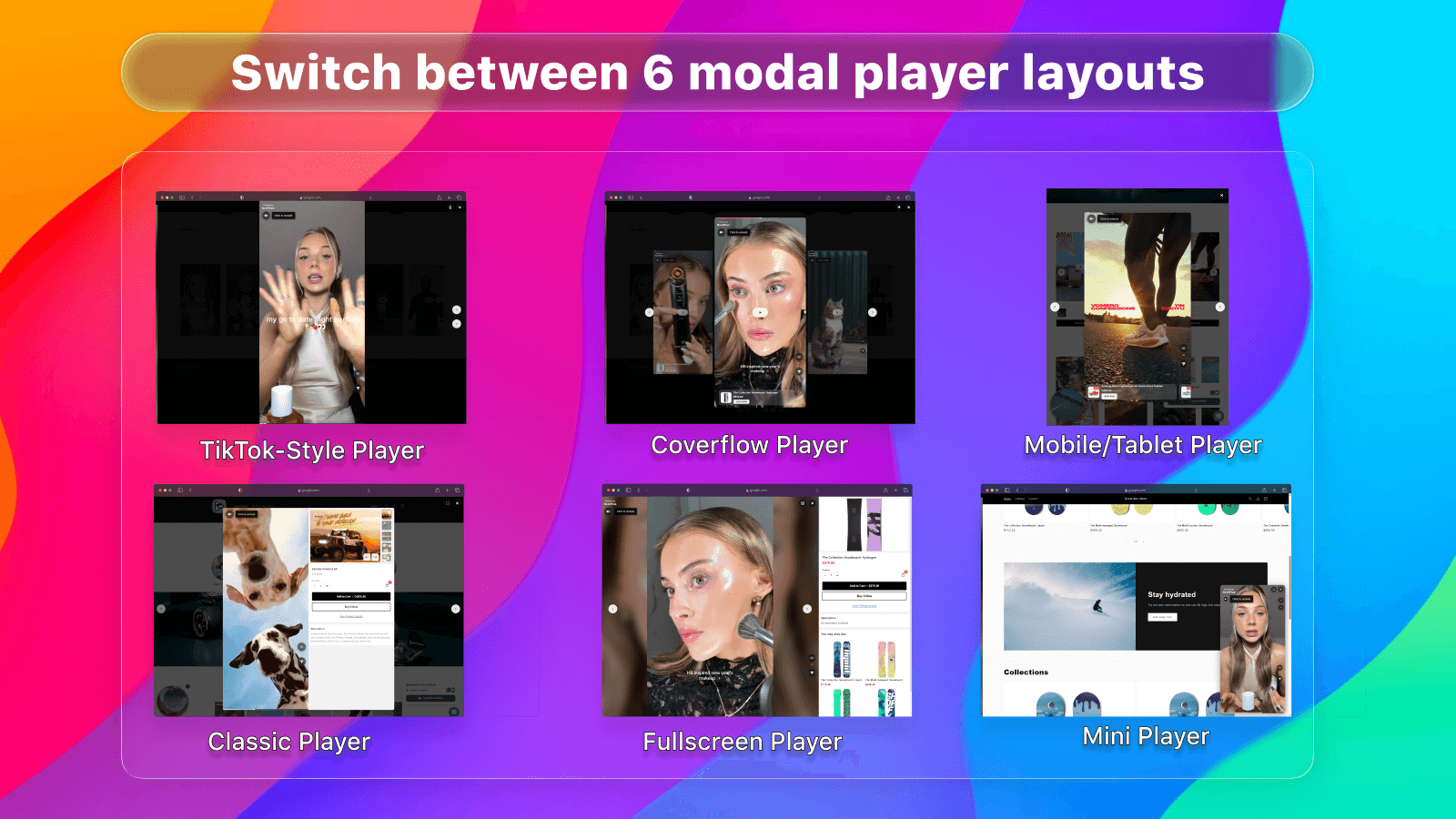
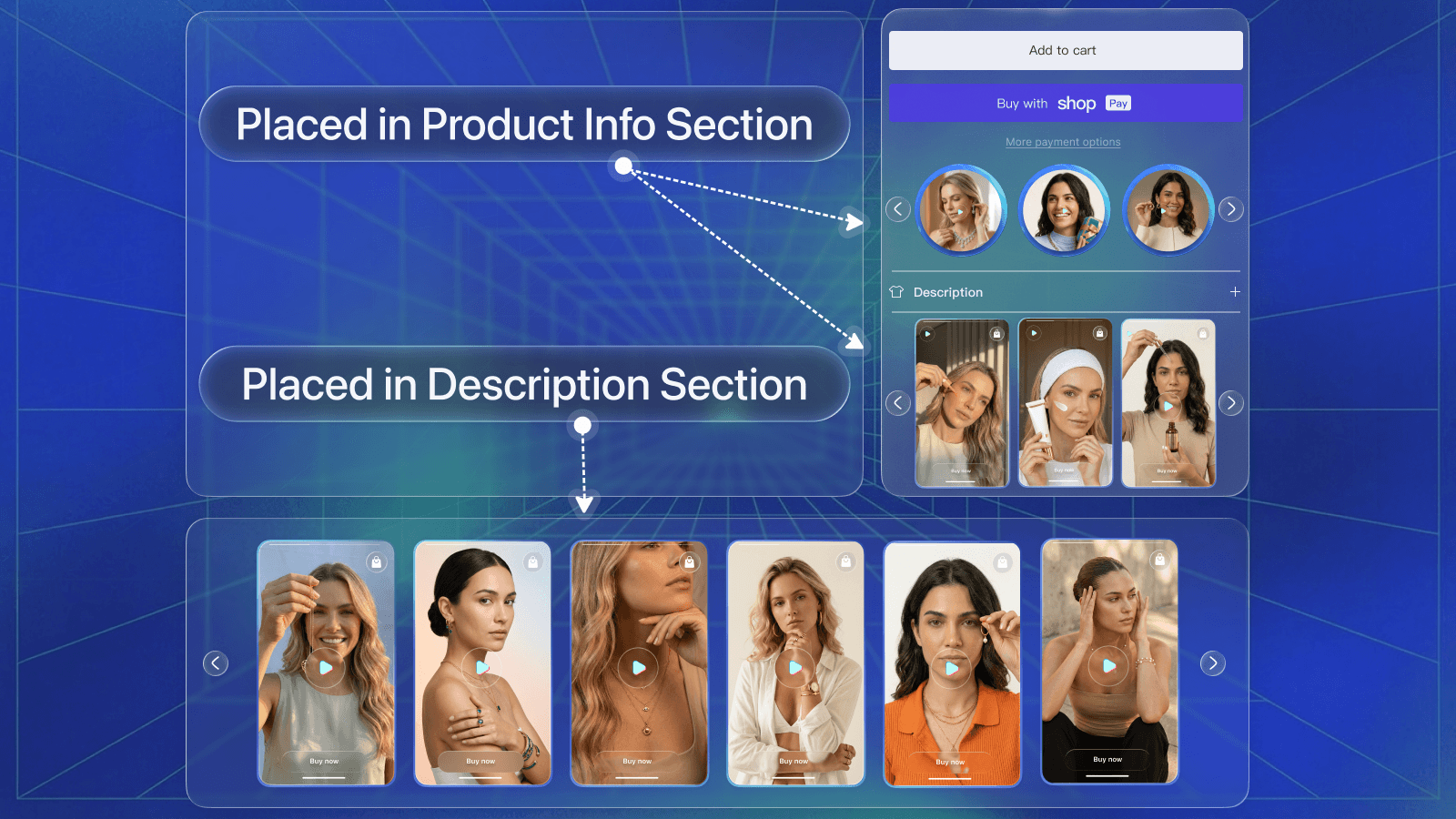
Tab through each surface. Same editor, same drop-zone rules — just a small elementOverrides map per surface.
Carousel · 3 visible, scroll for more
The flagship surface. All elements available across 5 templates × 3 view styles.
Visible elements
- videoCard
- template
- productImage
- videoTitle
- nativePrice
- nativeStars
- playIcon
The same editor
No parallel forks. Only an elementOverrides map per surface.
Customization left engineering's queue.
Six weeks after launch. Numbers from internal product analytics over the 90-day post-launch window.
Hero metric
Time to publish a widget
25 minutes of liquid edits collapsed into a 3-minute drag-and-drop self-serve flow. Same merchants, same customizations, no engineer.
~3 min
Time to publish
was ~25 min
+85%
First-time success rate
was ~55%
+75%
Self-serve customization
was ~40%
−70%
Layout-related tickets
<1 day
New-element-to-ship cycle
was ~3 days
<3s
Element-find time
10+ slide widgets
Stakeholder · post-launch retro
“ReelBuilder is the only reason this product scales. I haven't had a ‘how do I customize’ ticket in three weeks.”
Four lessons that traveled with me.
- 01
Spatial mental models beat property forms — even for technical users. Match the metaphor your users already have.
- 02
Type-safe drop zones aren't an engineering nice-to-have. They're the user-facing contract that makes a builder feel premium.
- 03
Configuration is design. Decide what's data and what's code on day one — it determines who can ship next year.
- 04
Ship the catalog flat. Hierarchy can come later when the cost of getting it wrong is lower than the cost of moving things around.